Turn an Android phone into a practical HY300 projector remote
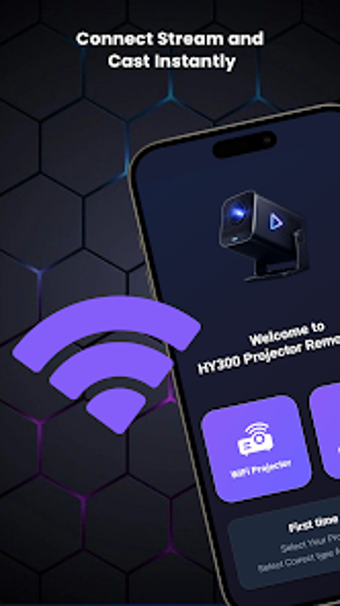
Hy300 Projector Remote App, developed by Azmat khani, transforms an Android phone into a replacement remote for the HY300 smart projector. The app sends remote commands for navigation, power, volume, input switching and media playback, letting users operate menus and media from their handset. Its interface reproduces a familiar physical-remote layout with a D-pad and quick-access buttons, aimed at HY300 owners who need a ready backup or prefer consolidated control through one Android device.
How does the app communicate with the projector?
The app sends commands either via the phone's infrared emitter or over a local network depending on the projector's hardware. Standard infrared control requires a built-in IR blaster, and the device's receiver needs a clear line of sight for reliable operation. Certain functions may operate over Wi-Fi when the phone and projector share the same network, so the communication method depends on the projector's hardware revision.
Is it approachable for non-technical users?
The interface mirrors the layout of a physical remote, using a central D-pad and grouped control buttons to reduce the learning curve. Design aims for a familiar control surface, and user reports describe installation and basic operation as straightforward. Common projector actions are presented directly, letting typical users operate playback and navigate menus without digging into advanced configuration screens.
Is it safe to run alongside the projector?
Advertised capabilities focus on remote-control actions such as power toggles, input selection and menu navigation rather than device maintenance. The app's scope centers on sending control signals, not applying firmware or system changes. Users should confirm their phone model supports the required hardware output and follow the guidance for aiming the phone, since reliable operation depends on correct signal delivery.
What practical limits affect daily reliability?
Compatibility depends on both projector model and phone hardware. The developer optimizes the app for the HY300 series, so it may work with other models only if they share the same IR code set. Community feedback highlights that some Android devices lack the necessary IR emitter, restricting infrared features. Expect variable results with non-HY300 projectors and plan device testing before important use.
Practical fallback for HY300 owners who need phone-based control
The app is a practical option for owners who want to control an HY300 projector from an Android handset. Its strength lies in providing a familiar control surface quickly; the main trade-off is dependence on the phone's hardware for signal delivery. Test the app before critical use and keep a secondary control method available for reliable presentations and viewing sessions.
Pros
Familiar control layout mimics a physical remote, easing adoption
Direct control of power, input, volume and playback from phone
Operates via infrared or local network depending on hardware revision
Straightforward installation and basic operation reported by users
Cons
Requires a phone with a built-in IR blaster for infrared control
Compatibility guaranteed only for the HY300 projector series
Functionality may vary on phones without hardware IR emitters
Loading…
About permissions
Before downloading, you can take a quick look at the permissions this app may request on your device. App permissions allow certain features to work properly, such as accessing your camera to take photos, your location for maps, or your storage to save files.
In this section, you’ll find a clear and simple overview of the types of permissions the app uses, grouped by their level of sensitivity, along with a visual breakdown to help you understand them at a glance. This way, you can see how the app interacts with your device and decide to download with confidence.
Permissions types
Standard
100%
Permissions distribution
Privacy
50%
Data collected
25%
Data shared
25%
Data safety info
Privacy
2 permissions
Permissions that allow the app to access personal or sensitive information stored on your device, such as location, contacts, camera, or microphone.
android.permission.WAKE_LOCK
Standard
android.permission.FOREGROUND_SERVICE
Standard
Data collected
1 permissions
Information the app may gather from your device or usage activity to enable features, personalize content, and improve overall performance.
android.permission.ACCESS_NETWORK_STATE
Standard
Data shared
1 permissions
Information that may be shared with trusted third parties to provide services, support app functionality, or deliver relevant content.
android.permission.INTERNET
Standard
This report summarises the permissions declared by the app at the time of scanning and groups them into Privacy, Data collected and Data shared. A declared permission shows what the app can access, it does not necessarily mean personal data is collected or transmitted. For full details check the app’s privacy policy and the developer’s clarifications shown below. Softonic generates this report automatically from the package metadata; it is informational and not a substitute for a full security or privacy audit.
Laws concerning the use of this software vary from country to country. We do not encourage or condone the use of this program if it is in violation of these laws. Softonic may receive a referral fee if you click or buy any of the products featured here.